

 Experiment
Giving a whole product one way to move
- Design systems
- Design engineering
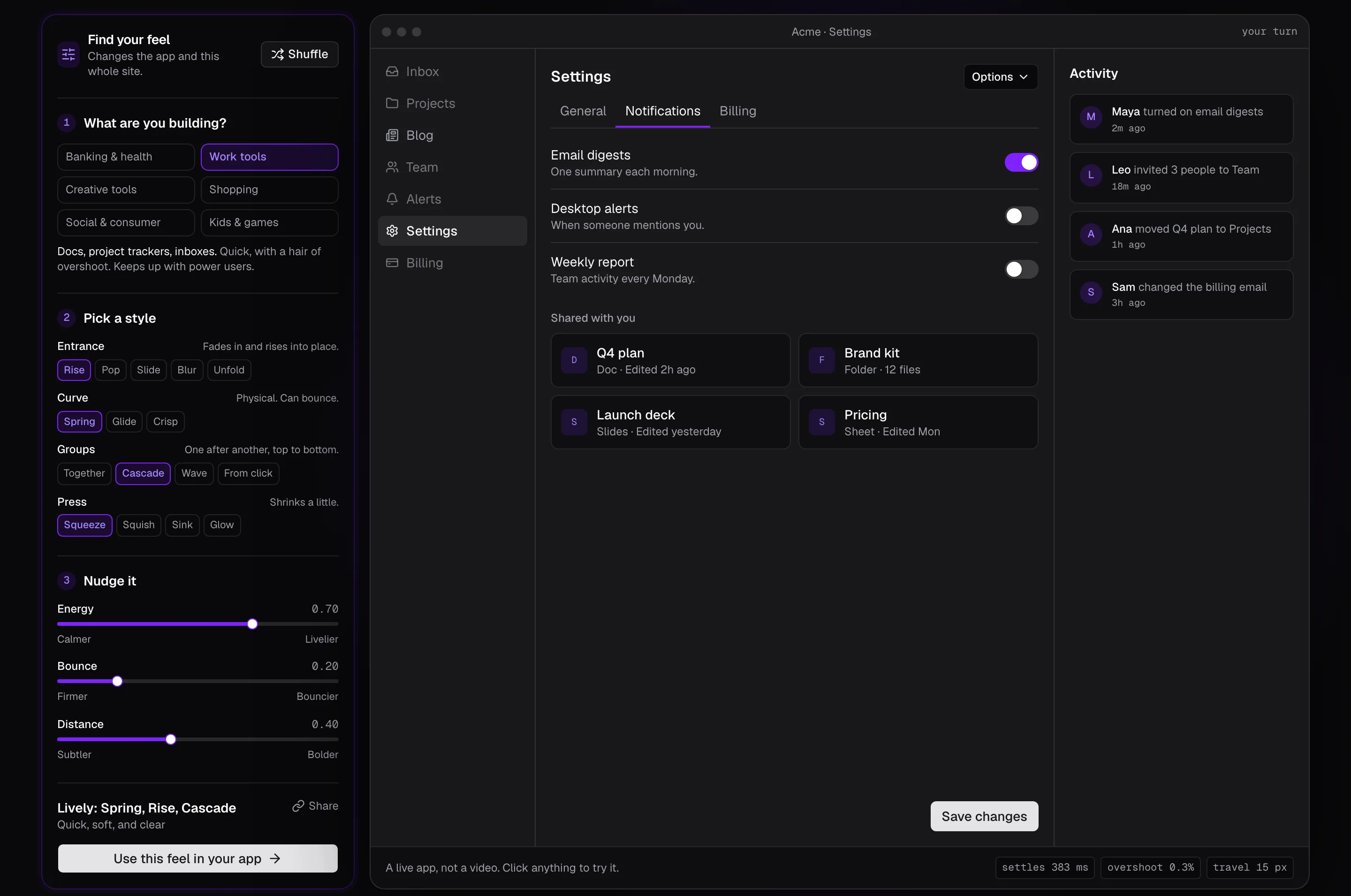
Motif: a motion design system you tune with three sliders, watch on a live app, and export as code and as rules an AI coding agent follows. Independent project, built in three days; no outside users yet.
- Problem
- Teams want every button, menu, and dialog in a product to move the same way. Without a system, each component gets its own hand-picked duration and curve.
- What I did
- I wrote the spec and directed the build with Claude Code: three sliders that generate every motion token, 11 interactions built only from those tokens, and four exports, one of them a rules file for AI coding agents.
- Result
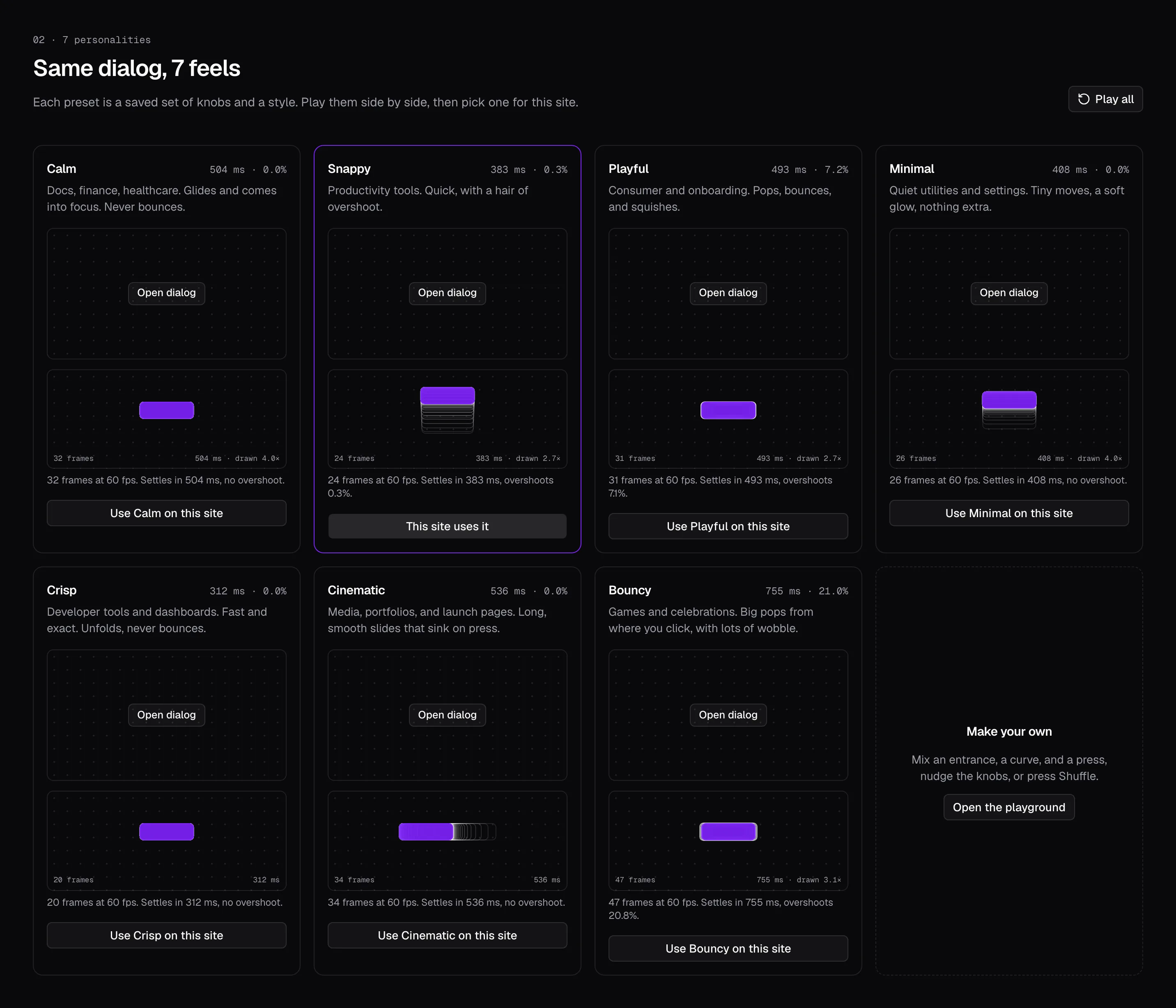
- A live site with 7 presets and a one-command install. In one test, a fresh Claude Code session given only the exported files built a menu and a dialog with no hand-written motion values. Nobody outside the project has used it yet.
Independent project. No company, client, or outside users. The site is live; the name is not yet cleared and the repository is private.
Try Motif(opens in a new tab) · Use it in your app(opens in a new tab)
Premise
Teams want every button press, menu, dialog, and list in their product to move the same way, without tuning each one by hand. Without a system, each component gets its own duration and curve, chosen by whoever built it.
Motif applies the shadcn/ui idea to motion: tune a motion personality, watch a kit of real interactions update, then export tokens and code the team owns. No runtime package, no lock-in.
The spec set three goals for the first version:
- The settings feel different. Someone watching Calm, then Snappy, then Playful tells them apart at once.
- The export works. A preset dropped into a real React app makes its motion consistent.
- The AI rules file works. An AI coding agent, given only the exported rules, builds new components that move the same way.
The system
A person should not have to pick a spring stiffness. So three sliders, each 0 to 1, generate every value: Energy (how fast things move and settle), Bounce (how much they overshoot), and Distance (how far they travel and scale). A preset is only a saved slider position.
From a feel to code
- 3 sliders + a style
- Motion tokens
- 11 recipes
- 4 exports
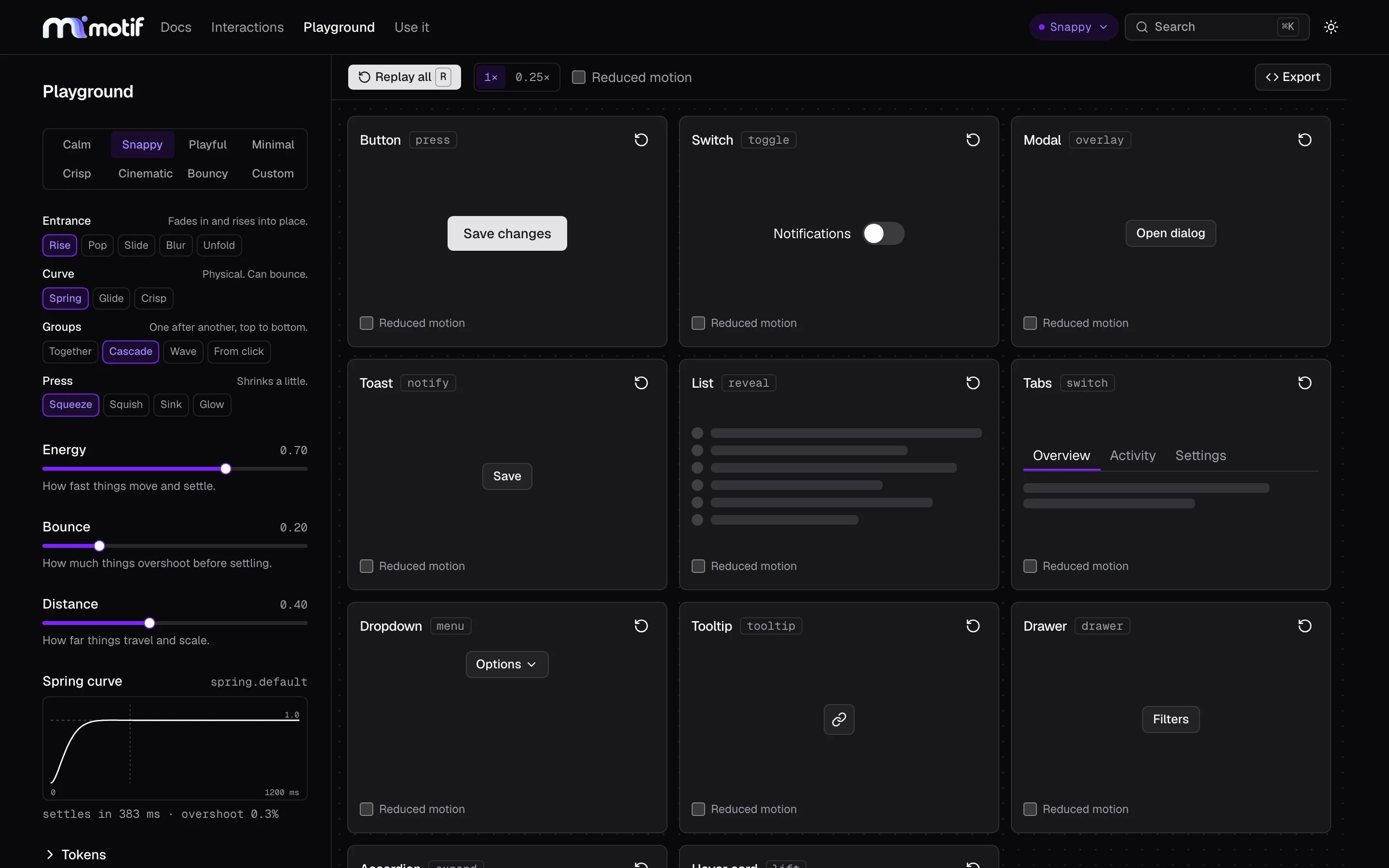
Each of the 11 interactions is a recipe named by intent: press, toggle, overlay, notify, reveal, switch, menu, tooltip, drawer, expand, and lift. A recipe may not contain a raw number. Every value points to a token, and four rules hold for all of them:
- Movement springs, fades tween. Position and scale use springs. Opacity and color never do.
- Exits are faster than enters, and never overshoot.
- Every animation can be interrupted. Reversing mid-way continues from where it is.
- Reduced motion is designed per recipe, not switched off.
What I cut
My first way to find a feel was an eye exam: play motion A, then motion B, and pick one, six times. I found it confusing to use. Close settings felt the same, even played one after the other on the same stage. People cannot hold a feel in memory long enough to compare it.
I cut it. Finding a feel now starts from something people already know: the kind of product they are building. Banking and health starts calm, work tools start snappy, social apps start playful. Then three sliders with plain words at each end, Calmer to Livelier, Firmer to Bouncier, Subtler to Bolder, and the live app replays after each change.
Then the presets still felt alike. The sliders changed how much the same movement happened, not its shape. So I added a style: how things enter (rise, pop, slide, blur, unfold), the curve (spring, glide, crisp), how groups arrive (together, cascade, wave, from the click), and how a press responds (squeeze, squish, sink, glow).
The AI rules file
An AI coding agent that does not know the motion system invents values. So one of the four exports is MOTION.md: hard rules written as instructions, a table that maps each kind of element to a recipe, the token values, and one wrong-versus-right example.
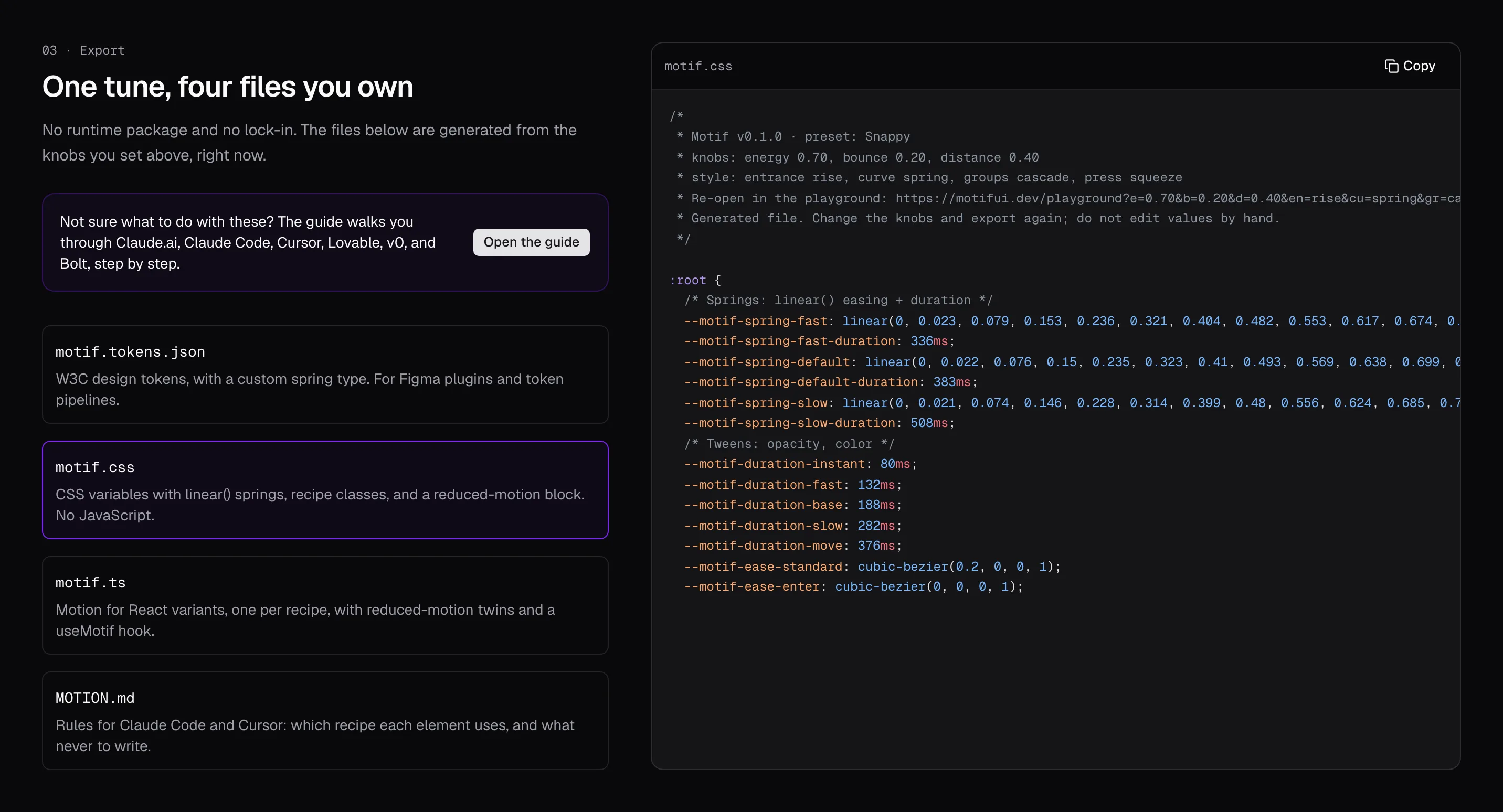
The test. I exported the Snappy preset into a fresh React app with a one-line rule: follow MOTION.md for all motion. A new Claude Code session, with no context from the Motif build, was asked for a dropdown menu and a delete confirmation dialog. The request did not mention motion.
The result: both checks in the spec passed with no edits. Both components used Motif recipes, the agent mapped the menu to the overlay recipe on its own, and a scanner found no raw durations or easings in the new code. In the browser, the panels moved by Snappy's token values, focus moved at once, and reduced motion removed all travel.
This was one test, with one preset and two components.
Getting it into an app
The guide is for people who build with AI tools, not only in a code editor. "Use it in your app" starts with one question, where do you build, and gives numbered steps for each answer: files to upload, or one prompt to paste. It ends with a test prompt and what to look for if it worked.
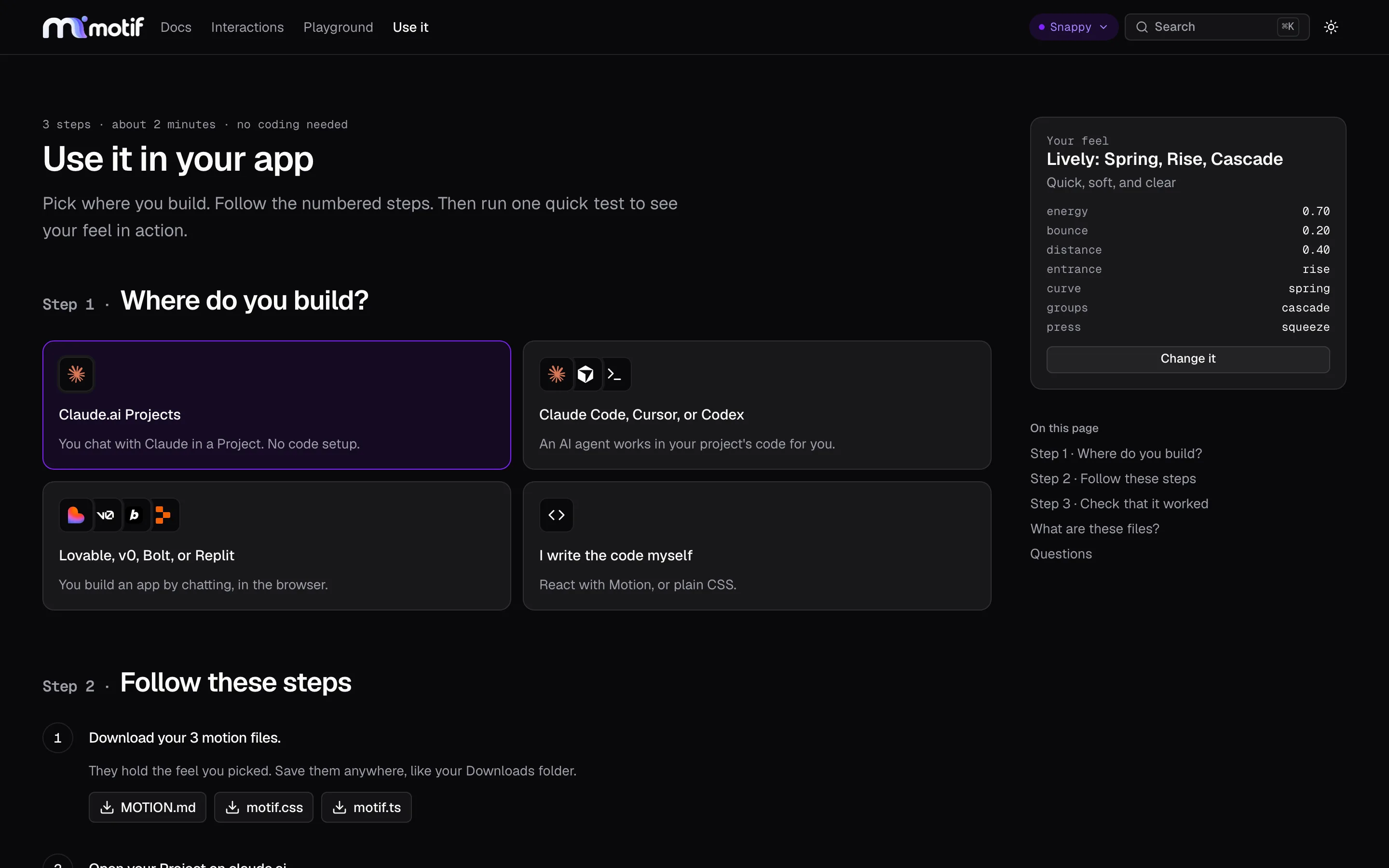
For developers, each feel installs with one shadcn command, with five components wired to it. One problem took real work: the installer merges CSS rule by rule and never deletes, so a second feel left the first one's rules behind. Every style now writes the same set of rules, and only the values change. Installing one feel over another now gives the same stylesheet as a clean install.
Building it
The site is the demo. It runs on its own tokens. Switch the preset and every hover, menu, and page transition on the site changes with it.
The math is tested, not trusted. The token core is pure TypeScript with no React, enforced by a lint rule, so it can become a package. Springs use the exact formula, not a step-by-step simulation. Tests check every preset against the spec, every one of the 240 style combinations against the recipe rules, and that the exports compile at each preset.
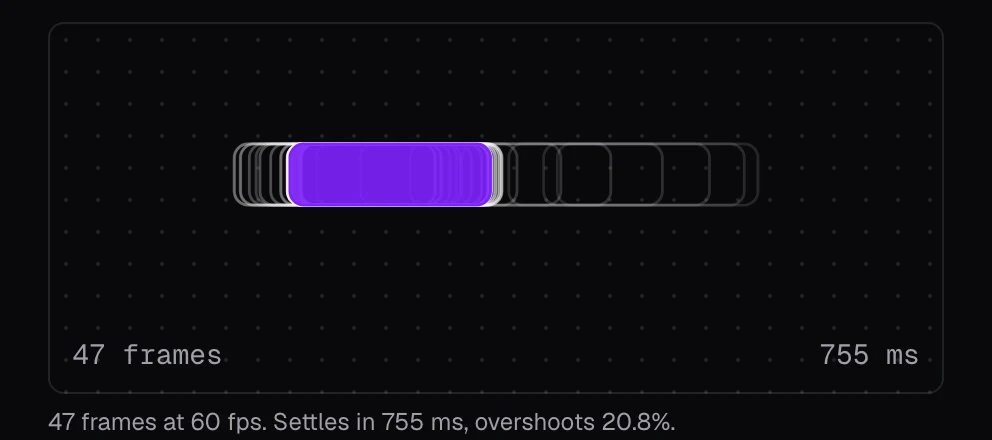
Every frame on one picture. Each interaction page draws every 60 fps frame of its movement on top of each other. Wide gaps are fast. Frames past the dashed outline are overshoot.
How it was built. I wrote the spec, its acceptance checks, and the milestone order, and built it with Claude Code over three days, October 7 to 9, 2026. I reviewed each milestone before the next one started and made every product and design call; each change from the spec is logged with its reason. The AI wrote most of the code.
Limits and next steps
Nobody outside the project has used Motif yet. The spec's second goal, a consistent app in under 15 minutes, has not been timed with a real team. The AI test used one preset and two components.
Open items:
- Clear the name and move the site to the motifui.dev domain.
- A Tailwind
@themeexport, deferred from the first version. - Native exports (SwiftUI, Jetpack Compose) were parked for later. Springs are stored as physical values so each platform can convert them.